Validation asp.net Configuration at Startup

· One min read
Mark Burton
Software Engineer & Technical Writer

Using the [Options pattern in ASP.NET Core] allows you to benefit from [Options validation], but this only fires the first time the configuration is accessed. The Options Pattern is build on top of Configure and OptionsBuilder.Bind(IConfiguration config) will actually call Configure(IConfiguration config) directly, so they are also equivalent. Both methods do the same job but AddOptions came later and allows more customizations. It would be much better to prevent a service starting if there are configuration values missing or with invalid values. Such functionality is not provided by the framework as of .net5.0, the GitHub issue [Options Validation: support eager validation] remains open. The following method of Options Validation is taken from [Baget] with small modifications to allow sharing the implementation with multiple services. You can get the full working demo from my GitHub repo. [Options pattern in ASP.NET Core]:

Signing Documents With a LuxTrust Signing Stick

· 3 min read
Mark Burton
Software Engineer & Technical Writer

Installation​

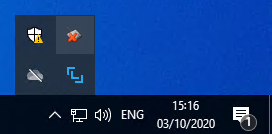
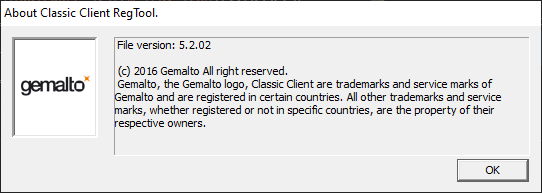
Installation is easy enough, download the correct installer from the [LuxTrust Middleware Download] page and install. You will see the LuxTrust Middleware running in your system tray. System Tray After LuxTrust Middleware Install You will notice 2 icons have been added to the systray. The LuxTrust Middleware has the distinctive logo LuxTrust Middleware System Tray Icon there are not many options when you click on the Middleware icon, configure allows you to change the log level and About has a Support tab which provides easy access to the log file (can be found at %UserProfile%\.luxtrust\logs), which does become useful quite soon. But what is this LuxTrust Middleware System Tray Icon second icon? Right click on the icon and choose about, you are greeted with this Gemalto Classic Client about box. Gemalto Classic Client About Box But who are Gemalto and why is their toolbox installed on my system? It is not mentioned anywhere in the [LuxTrust Middleware Installation Guide] (warning links to a pdf), but if you had been watching the installer closely you will see it installed Classic Client Toolbox, ## Activation ## Signing PDF ## Signing XML Finding the right software to sign an XML file is not easy, the following is a list of software I tried with mixed results; * [Szafir] - Doesn't seem to recognise the LuxTrust Signing Stick or certificates. Does have a very nice validator.
  • [XML Signer] - Doesn't support [XAdES] only [XMLDSig]. Hangs if you have not logged in to the Gemalto Classic Client Toolbox to unlock the private keys.
  • [XML validator Buddy] - Doesn't support [XAdES] only [XMLDSig]
  • [DSS Demonstration WebApp Sign a Document] - Requires [NexU]

Migrating my blog from Wyam to Statiq

· 3 min read
Mark Burton
Software Engineer & Technical Writer

The initial steps to setup a new blog with Statiq or migrate from Wyam are covered in porting from Wyam document in the CleanBlog repo. There are additional points raised in the GitHub discussions on the StatiqDev Discussions repo most specifically in the Migration from Wyam discussion. I had customized my blog slightly while using Wyam so there was some additional work to do. ## Bringing back the triangles