Signing Git Commits in VS Code and Visual Studio

This post focuses on GPG commit signing and is kept for historical reference.
For my current recommendation, read Migrating from GPG to SSH-Signed Git Commits (Forgejo, Codeberg, GitHub), where I explain why I now prefer SSH signing.
Install GnuPG
Install GnuPG with Chocolatey:
choco install gnupg
Or download from Gpg4win.
Generate a New Key
In PowerShell, run:
gpg --full-generate-key
You will be asked several questions. Based on the GitHub documentation at the time, choose:
1forRSA and RSA4096for key length0for no expiry
Example prompts:
Please select what kind of key you want:
 (1) RSA and RSA
 (2) DSA and Elgamal
 (3) DSA (sign only)
 (4) RSA (sign only)
 (9) ECC (sign and encrypt)
 (10) ECC (sign only)
 (14) Existing key from card
Your selection?
RSA keys may be between 1024 and 4096 bits long.
What keysize do you want? (3072) 4096
Requested keysize is 4096 bits
Please specify how long the key should be valid.
 0 = key does not expire
 <n>  = key expires in n days
 <n>w = key expires in n weeks
 <n>m = key expires in n months
 <n>y = key expires in n years
Key is valid for? (0)
Use an email address that matches your Git identity.
Final Git Config
Verify your global Git settings:
git config --global -l
Typical relevant entries:
user.signingkey=<your key id>
gpg.program=C:/Program Files (x86)/GnuPG/bin/gpg.exe
commit.gpgsign=true
Usage in VS Code
Commit as normal in VS Code. You should be prompted for your GPG passphrase when required.
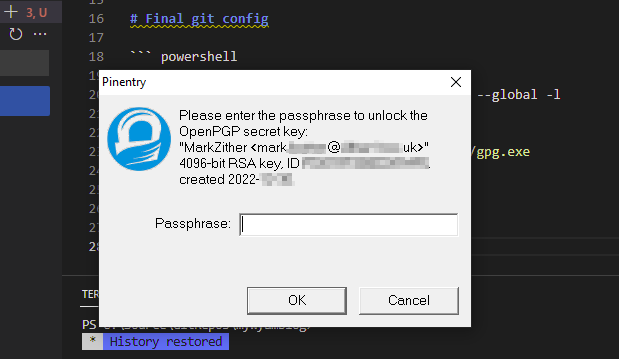
How Often to Sign Commits
Signing every commit can feel tedious. GPG agent cache settings control how often you re-enter your passphrase.
Check current values:
gpgconf.exe --list-options gpg-agent
Look for values like:
default-cache-ttl:...:600::
max-cache-ttl:...:7200::
To sign less frequently, increase default-cache-ttl and max-cache-ttl to match your security posture.
Notes
- You may have two GPG installations on Windows (for example, Git-for-Windows plus Gpg4win).
- A practical cache value for some workflows is
14400seconds (4 hours).