Secure ASP.NET Core Health Checks to a specific port

To secure Health Checks it is possible to make them available on internal addresses only, and on a different port to the publicly served pages/API endpoints.
First we need to make the service available over 2 different ports. This can be achieved by adding a Urls value to appsettings.json.
{
	"Logging": {
		"IncludeScopes": false,
		"LogLevel": {
			"Default": "Debug",
			"System": "Information",
			"Microsoft": "Information"
		}
	},
	"Urls": "http://localhost:1114;http://localhost:1115",
	"ManagementPort": "1115",
	"ConnectionStrings": {
		"LoginServiceDb": "Data Source=.,11433;Initial Catalog=LoginServiceDatabase;Integrated Security=true;"
	}
}
This can be done in several ways, and is described in more detail by Andrew Lock in his post 5 ways to set the URLs for an ASP.NET Core app.
Now when you debug the service you should see in the log that it is listening on 2 ports.
info: Microsoft.Hosting.Lifetime[0]  Now listening on: http://localhost:1114
info: Microsoft.Hosting.Lifetime[0]  Now listening on: http://localhost:1115
info: Microsoft.Hosting.Lifetime[0]  Application started. Press Ctrl+C to shut down.
Special note if you are using http.sys If you want to run this over HTTPS you will need to take care of the port reservation and certificate binding. I have an explanation of that in the GitHub repo README.
Now that we have the service listening on 2 addresses we can specify one of them will serve up the Health Checks by setting the ManagementPort.
In Startup.cs we can use the ManagementPort to secure the Health Check endpoint.
app.UseEndpoints(endpoints =>
{
	endpoints.MapControllerRoute("default", "{controller=Home}/{action=Index}/{id?}");
	endpoints.MapHealthChecks("health").RequireHost($"*:{Configuration["ManagementPort"]}");
});
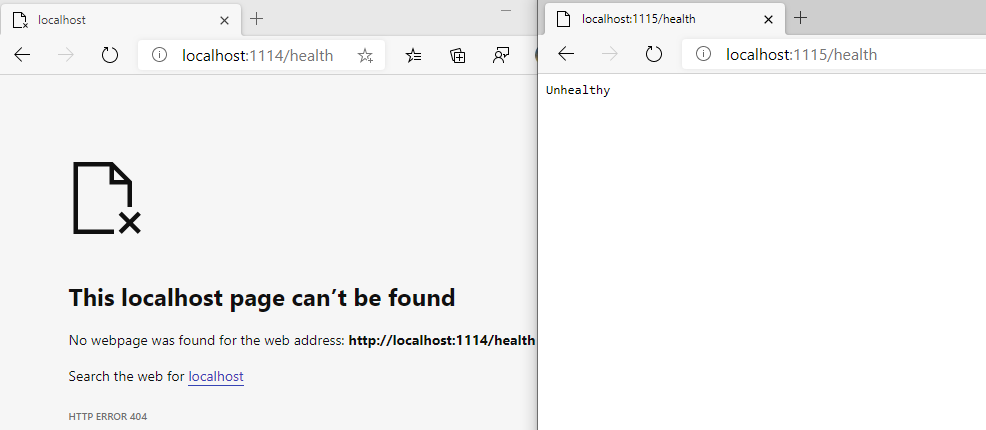
If you debug now you will have access to the health endpoint only on the ManagementPort and not on the public facing URL.
More interestingly you can also go to the hc endpoint, this contains more detailed information about the state of the service and therefore needs to be secured.
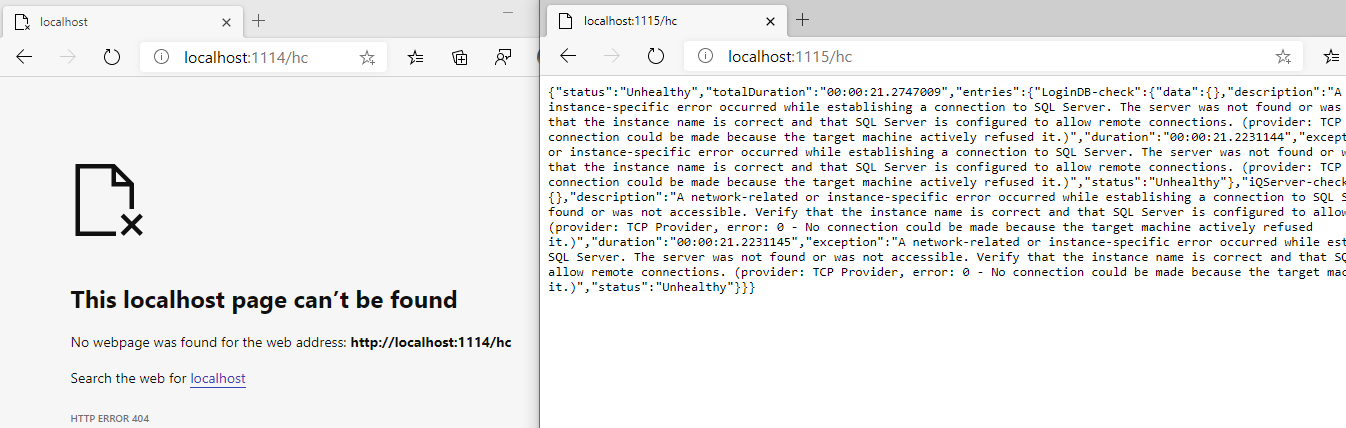
Now you can safely get the status of your services reported as JSON, but there are 2 further aspects of ASP.NET Core Health Checks, the UI and push-based monitoring. I will cover those in parts 2 and 3.